Typeform vs Jotform vs SoftSolz: Lead Form Showdown
Comparing lead form builders: Typeform, Jotform, and SoftSolz.
Explore the differences between Typeform, Jotform, and SoftSolz for building lead forms, focusing on post-submission workflows and integration capabilities.
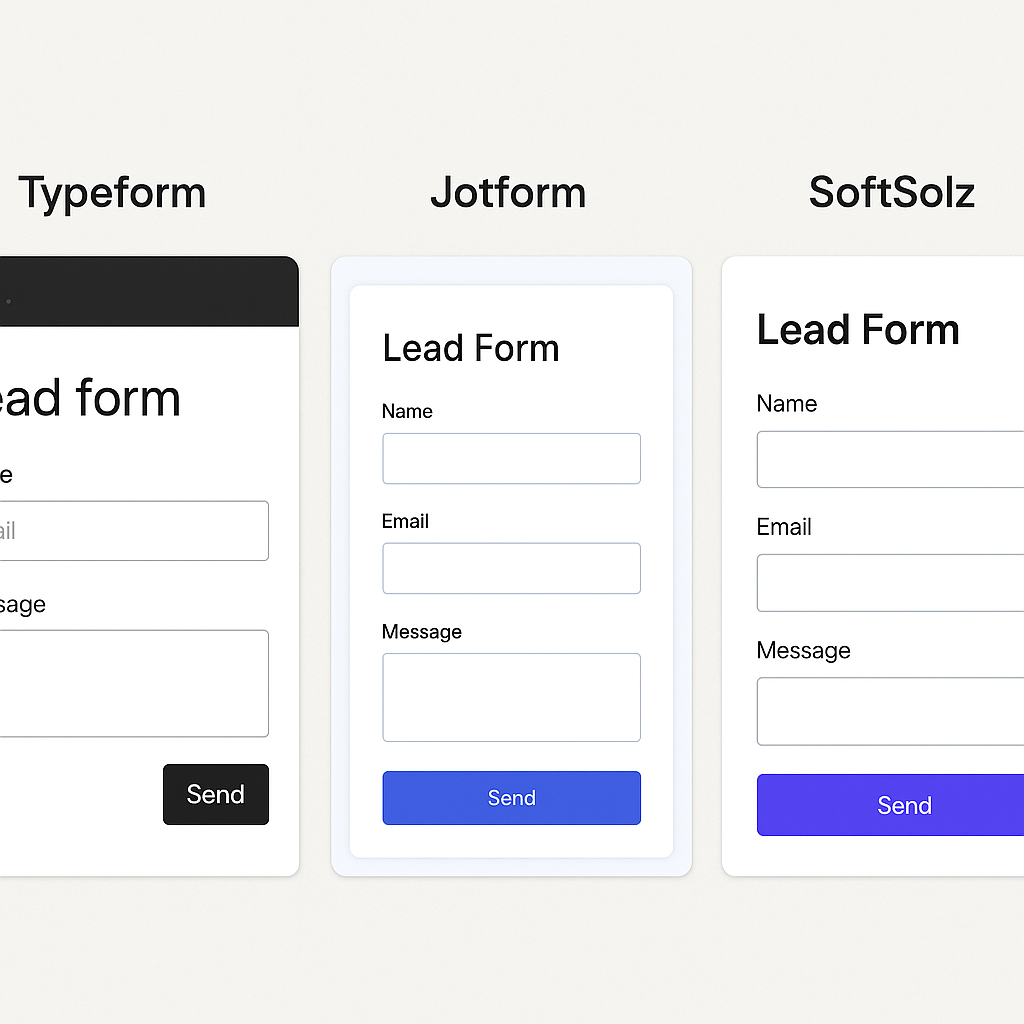
When it comes to building lead forms, Typeform, Jotform, and SoftSolz each offer unique features and capabilities. While Typeform and Jotform are well-known for their design flexibility and integration options, SoftSolz stands out with its integrated workflow and security features. This article compares these tools based on design, features, pricing, integrations, and post-submission workflows to help you choose the best option for your business needs.
How Does Each Tool Handle Design and User Experience?
Typeform is renowned for its conversational, one-question-at-a-time format, which enhances user engagement and completion rates. It offers extensive design customization, allowing users to tailor fonts, colors, and layouts to match their brand.
Jotform provides the most design flexibility with a drag-and-drop editor and a vast template library. This makes it ideal for users who need extensive customization options.
Google Forms offers a simple and familiar interface, best suited for quick form creation with limited design customization.
SoftSolz focuses on functionality over design, integrating form submissions directly into a comprehensive workspace that includes invoicing and workflow management.
What Features Do They Offer?
Typeform supports over 20 question types, including multiple choice and rating scales, but lacks e-signatures and complex calculations.
Jotform excels with over 30 field types, including payment fields and e-signature widgets, making it suitable for complex data collection.
Google Forms provides basic question types with limited conditional logic, suitable for simple data collection tasks.
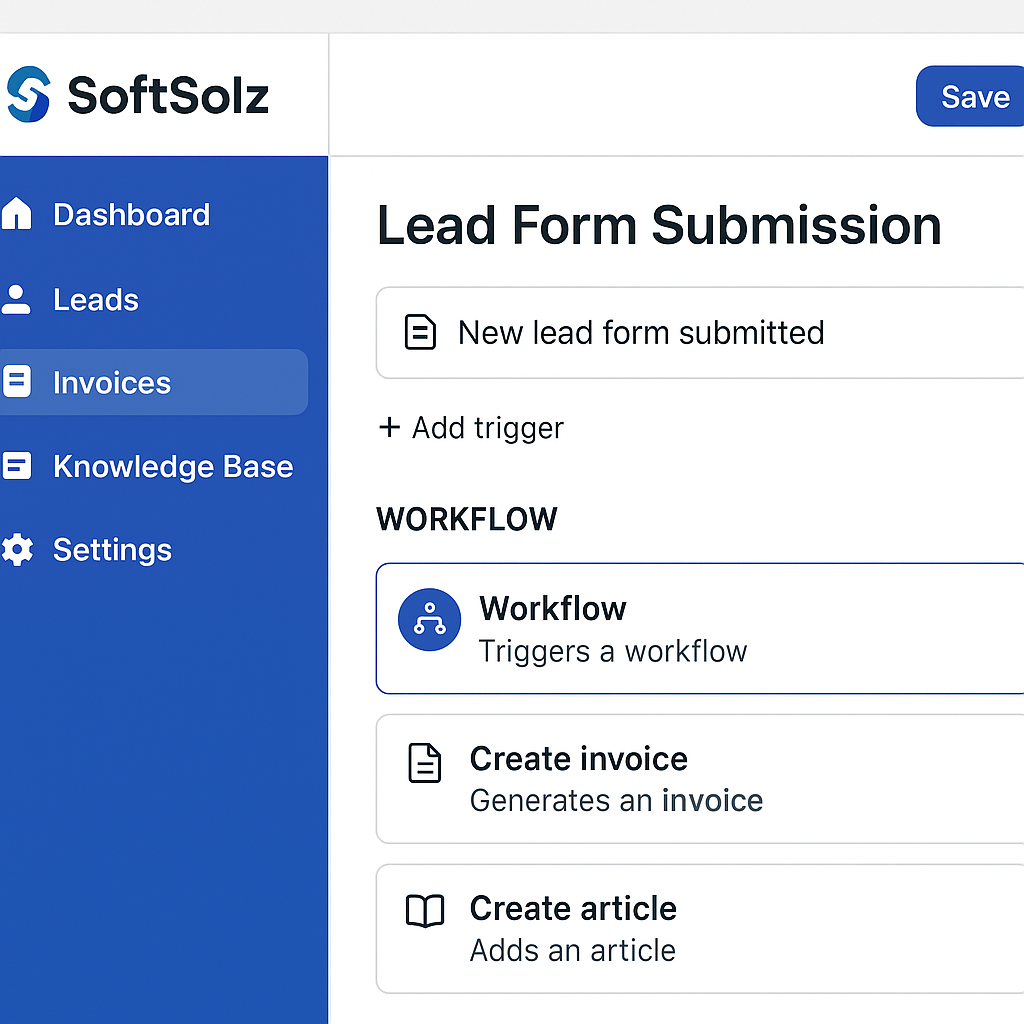
SoftSolz integrates form submissions into a workspace with invoicing and workflow capabilities, eliminating the need for third-party automation tools.
How Do Their Pricing Models Compare?
Typeform starts at $25/month for 100 responses, with costs escalating for higher response volumes.
Jotform offers a free plan with limits, with paid plans starting at $34/month for 1,000 submissions.
Google Forms is free with no submission limits, making it a cost-effective option for basic needs.
SoftSolz pricing details are not specified, but its integrated features may offer cost savings by reducing the need for additional tools.
What About Integrations?
Typeform integrates with Zapier, HubSpot, and Salesforce, among others, providing extensive connectivity options.
Jotform offers over 100 native integrations, including CRMs and payment processors, enhancing its versatility.
Google Forms integrates directly with Google Sheets and Workspace, facilitating seamless data management within the Google ecosystem.
SoftSolz eliminates the need for third-party integrations by incorporating form submissions directly into its platform's workflow engine.
How Do They Handle Post-Submission Workflows?
Typeform and Jotform require third-party tools like Zapier to route submissions to other applications, which can add complexity and cost.
SoftSolz offers a unique advantage by integrating submissions directly into its workspace, allowing for immediate workflow triggers without external tools. This streamlines processes and enhances security with features like domain allowlists and rate limits.
Which Should You Choose?
For businesses prioritizing design and user engagement, Typeform is an excellent choice. If you need extensive customization and complex data handling, Jotform is the way to go. For simple, internal data collection, Google Forms is a cost-effective solution. However, if you seek a comprehensive platform that integrates form submissions with invoicing and workflows, SoftSolz offers a robust solution without the need for third-party tools.
FAQ
What makes SoftSolz different from Typeform and Jotform?
SoftSolz integrates form submissions directly into its workspace, eliminating the need for third-party automation tools and enhancing security.
Can I use Typeform for free?
Typeform does not offer a free plan; pricing starts at $25/month for 100 responses.
Does Jotform support payment collection?
Yes, Jotform supports payment fields and integrates with various payment processors.
Is Google Forms suitable for complex workflows?
Google Forms is best for simple data collection and lacks advanced workflow capabilities.
How does SoftSolz enhance security?
SoftSolz uses domain allowlists and rate limits for public widget keys to prevent unauthorized access.
Do I need Zapier with SoftSolz?
No, SoftSolz integrates workflows directly within its platform, eliminating the need for Zapier.
What are the design capabilities of Jotform?
Jotform offers extensive design flexibility with a drag-and-drop editor and a large template library.
Can Typeform handle e-signatures?
No, Typeform does not support e-signatures.
Is there a limit to submissions on Google Forms?
No, Google Forms does not have a submission limit.
What is the main advantage of using SoftSolz?
SoftSolz's main advantage is its integrated approach, combining form submissions with invoicing and workflow management in one platform.
Discussion
Loading responses…